
Seeing Is Believing: Bringing Transparency to Daft PDF Pipelines
October 10, 2025
Seeing Is Believing: Bringing Transparency to Daft PDF Pipelines
I was fascinated by Daft’s blog post, End-to-End Distributed PDF Processing Pipeline. It’s exciting to see how much easier it has become to process PDF documents at scale.
As I followed the post and opened the accompanying Colab notebook, I saw logs being printed—but wasn’t entirely sure what was actually happening under the hood. I understood that it was processing PDFs, but what kind of content were those documents containing? It was extracting text from images with bounding boxes—but how accurate were the results? Is it really able to handle real-world flexible layout?
As the saying goes, seeing is believing. I want to see what really happens—step by step—from the raw source, through the intermediate transformations, to the final output. Therefore, we adapted SmooSense to serve this purpose—bringing transparency to multimodal processing pipelines.
1. Pipeline overview#
In the pipeline, we start with a folder of PDF documents stored on S3. Each file is downloaded and processed through OCR (Optical Character Recognition) to extract text at the word level, along with its spatial structure and bounding boxes. We then group adjacent words into coherent text blocks and compute embeddings for each block to enable downstream retrieval and semantic analysis.
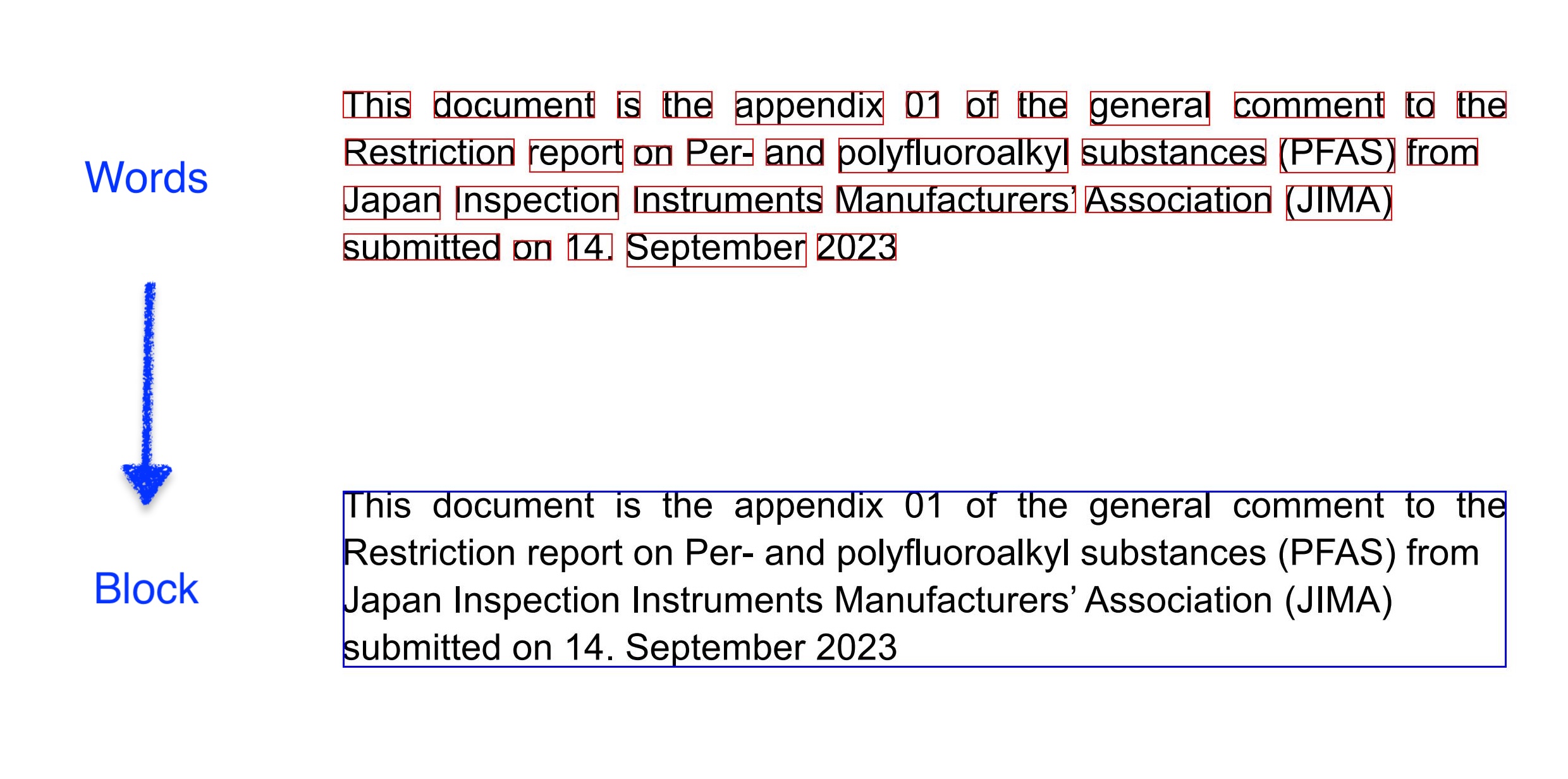
Below is an example to demonstrate word-level OCR and bounding boxes compared with block-level bounding box.
2. Understand the source data#
2.1 Browse S3 folder in Jupyter Notebook#
SmooSense enables you to browse S3 folders and preview files, without downloading, inside Jupyter Notebook.
🔗 Try yourself to browse S3 folder
SOURCE_FOLDER = 's3://daft-public-data/tutorials/document-processing/industry_documents_library/pdfs'

from smoosense.widget import Sense

Sense.folder(SOURCE_FOLDER)
Quickly browsing several files, we can get a sense of what the source data look like:
- It is multimodal: not only text, but also table, charts, images, markups.
- Not only English, with several other languages.
2.2 Loading to Daft#
Daft provides built-in support to read any multimodal data format into DataFrame.
import daft

IO_CONFIG = daft.io.IOConfig(s3=daft.io.S3Config(anonymous=True))

df_sample = (
    daft.from_glob_path(f"{SOURCE_FOLDER}/*")
        .limit(10)
        .with_column("pdf_bytes", daft.col("path").url.download(io_config=IO_CONFIG))
)
Sense(df_sample)
If you are not familiar to Daft, you might want to look at the loaded DataFrame.
3. Analyze intermediary data#
Daft makes it easy to scale distributed workloads on the cloud—as long as we define the right Python UDFs. Before scaling up, however, it’s important to validate the UDFs with some non-trivial data. While browsing the S3 bucket, I came across a PDF that was perfect for this purpose—it contained a rich variety of elements: text, tables, charts, and photos.
3.1 Word-level OCR#
I quickly vibe-coded a function using pytesseract to extract words and their bounding boxes from every page of the PDF.
For easier inspection, the function was set up to export the resulting DataFrame as a Parquet file,
along with the rendered page images, all saved into the working directory. So it gives me files like this
.
├── ocr_words.parquet
└── images
    ├── fhhd0346-1.jpg
    ├── fhhd0346-2.jpg
    ├── fhhd0346-3.jpg
...
Then SmooSense can load local parquet file along with associated images, and renders an interactive view:
import os
PWD = os.getcwd()
Sense.table(f'{PWD}/ocr_words.parquet')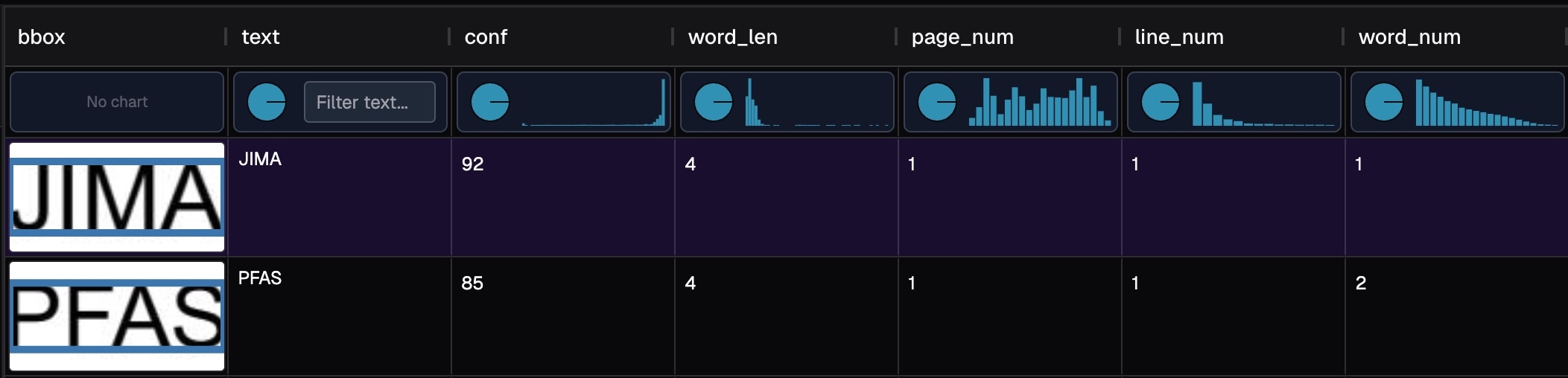 🔗 Try yourself with word level result
In the histogram plot of conf, we can see most of the values are close to 1.
That is good. We can pay more attention on the small confidence values.
Clicking in the column header, it will sort conf ascendingly or descendingly.
Below we show some samples from low confidence and high confidence.
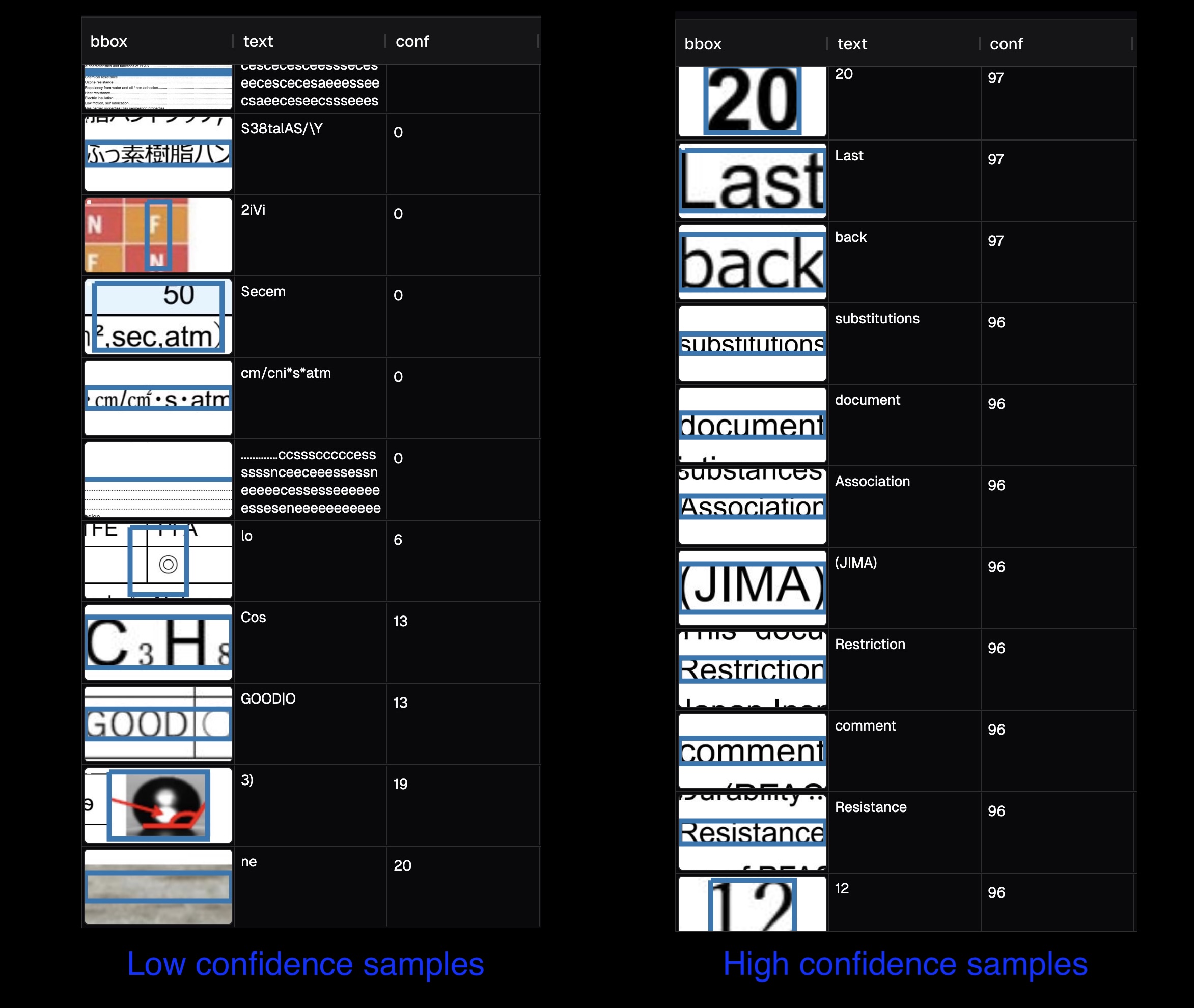
From these samples, we can identify some patterns:
- The dots in table of contents are recognized as many letters.
- There is some Japanese in the English document, and OCR tried to recognize English and failed.
- OCR performs worse for table, graph, chemical and mathematical formula.
- There may be false positive in photos.
Another way of finding abnormal recognition is through length of the word. Valid words should have length below around 20.
3.2 Block level results#
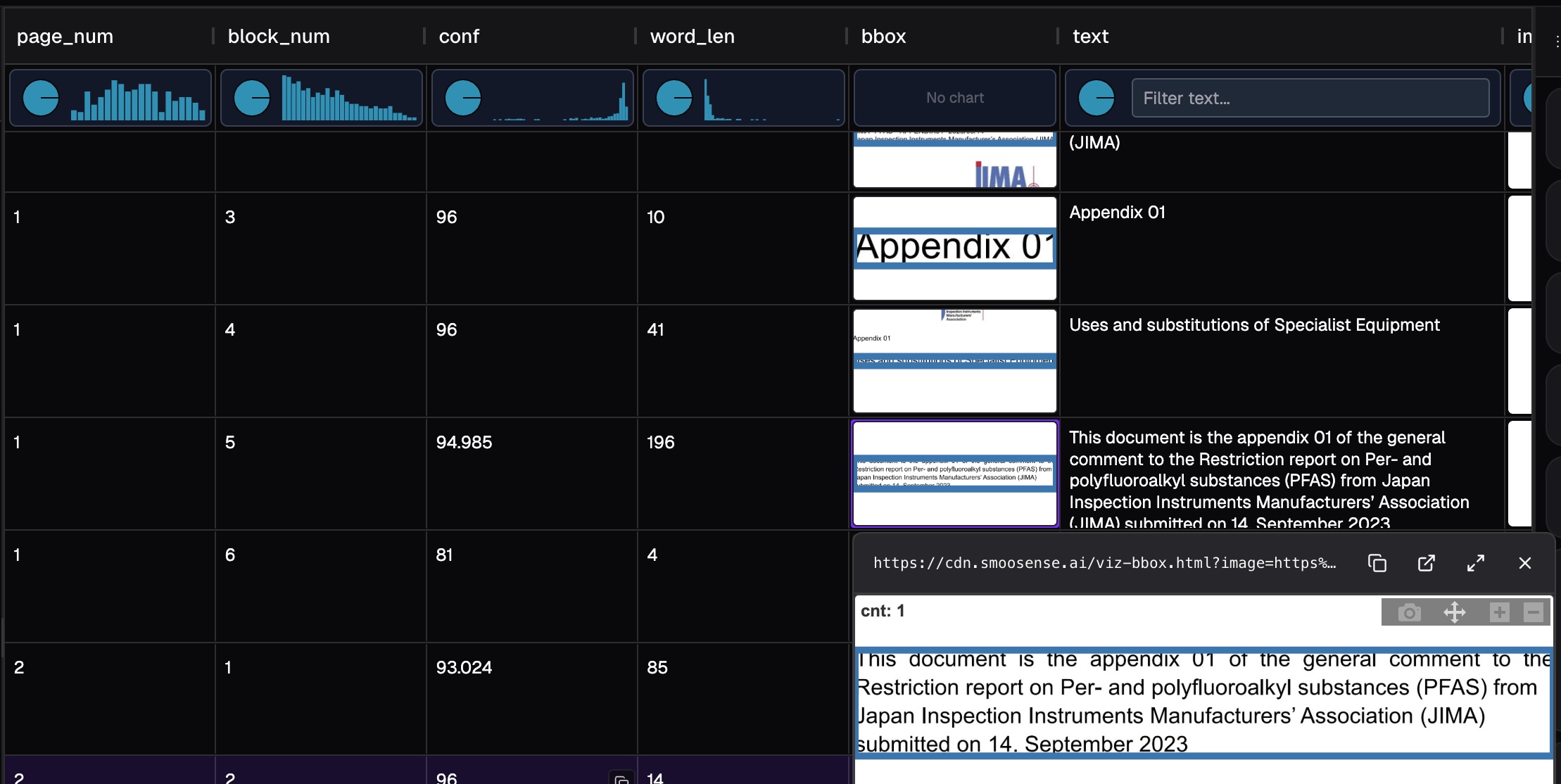
Similarly, we can analyze the results at block level:
- Looking at the high-confidence blocks, OCR really did a good job.
- There are many small blocks (with small
word_len) - OCR does not do well with table and graph.
🔗 Try yourself with block level result
4. Seeing is believing#
Foundation models have turned intelligence into a commodity — and with countless open-source tools, integrating AI has never been easier. Anyone with basic technical skills can now build an AI product in just a few hours. And with Daft, scaling from 1 to 100 is much easier than before.
So, if anyone can vibe-code an AI app, what truly sets yours apart? The answer is simple: data is king.
- Curating better datasets for training and evaluation leads to far stronger AI performance.
- And as always — seeing is believing. Bringing transparency to your pipeline builds trust and accelerates adoption.
SmooSense helps you to truly "see" the data, making it effortless to understand model behavior, uncover failure patterns, and gain deep insights — turning raw data into real intelligence.
Get started, see your data pipeline:
pip install "smoosense[daft]"