
Table Viewer
Interactive table viewer for parquet/csv/jsonl etc
1. Start in terminal#
sense table /path/to/file.csv # Open table viewer with given fileor open file on S3:
sense table s3://smoosense-demo/datasets/COCO2017/images-emb-2d.parquet # Open S3 file2. File information for columnar formats#
2.1 Parquet row group and compression#
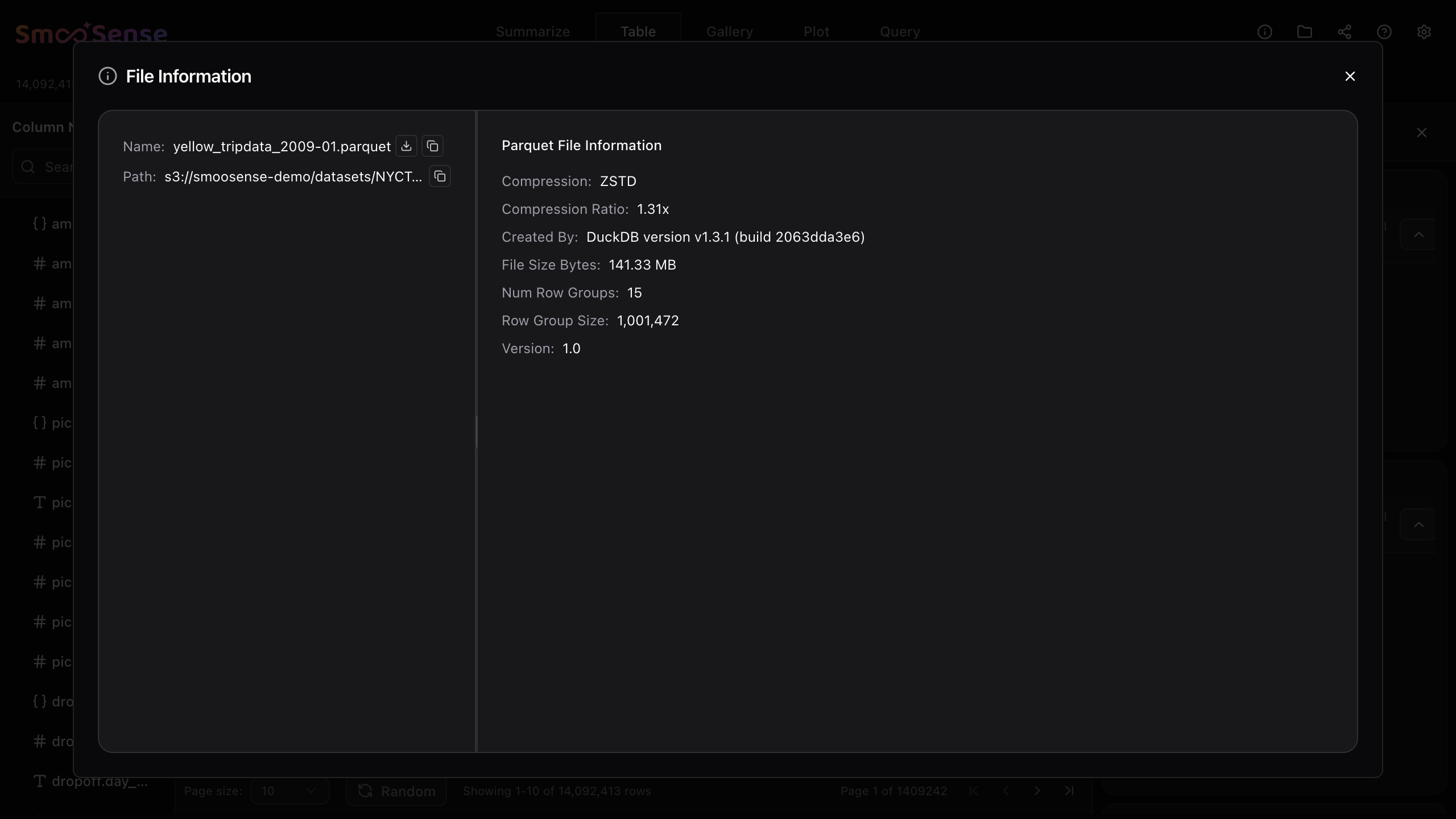
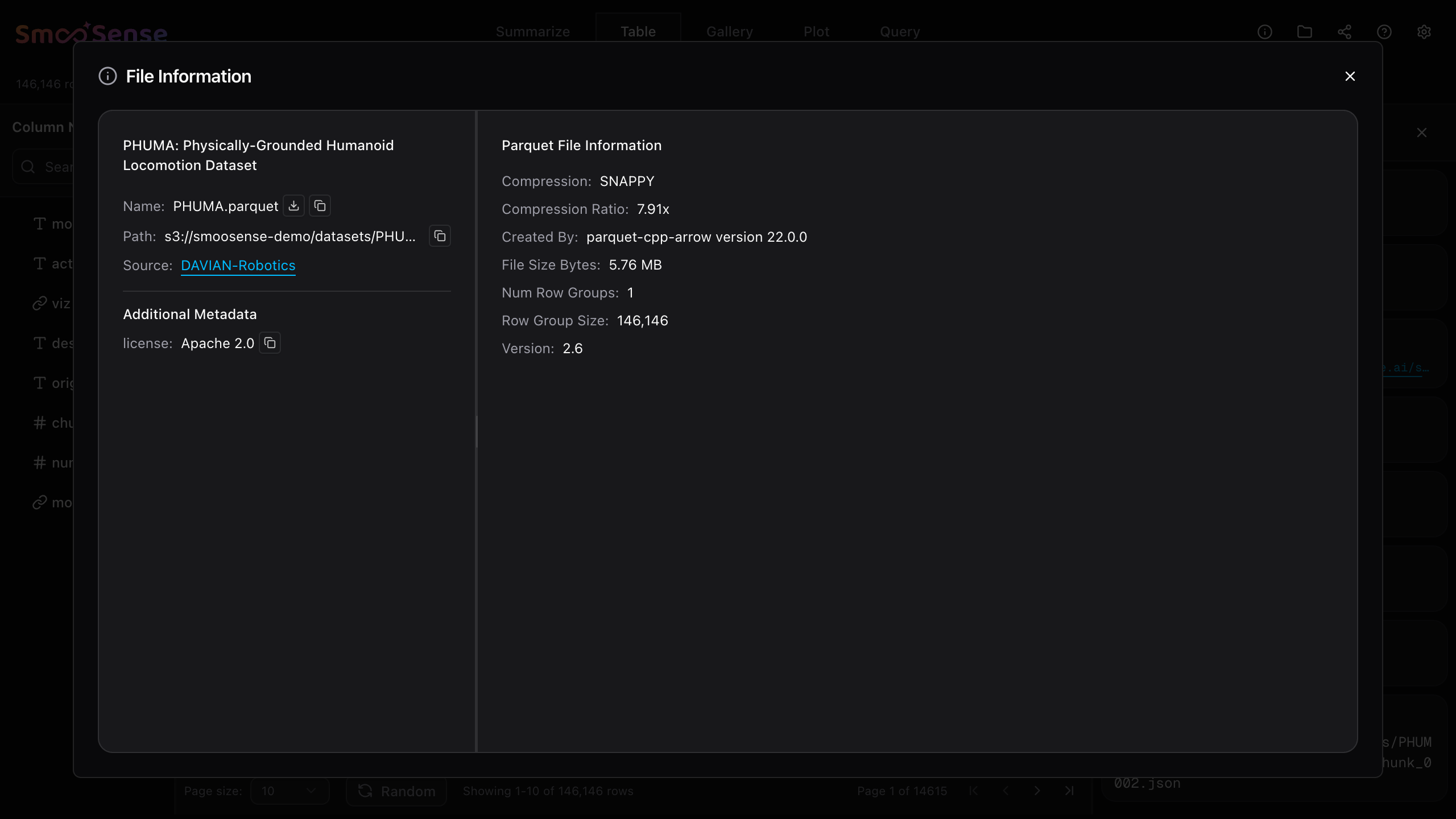
When you care about I/O efficiency, query performance or want to optimize data processing, you need to pay attention to parquet row groups. Each group stores a chunk of rows that share the same schema, and within it, each column is stored as a contiguous block.
With one click on Info icon in the top right corner, SmooSense can display parquet row group metadata, compression and writer version etc.
2.2 Lance indices and versions#
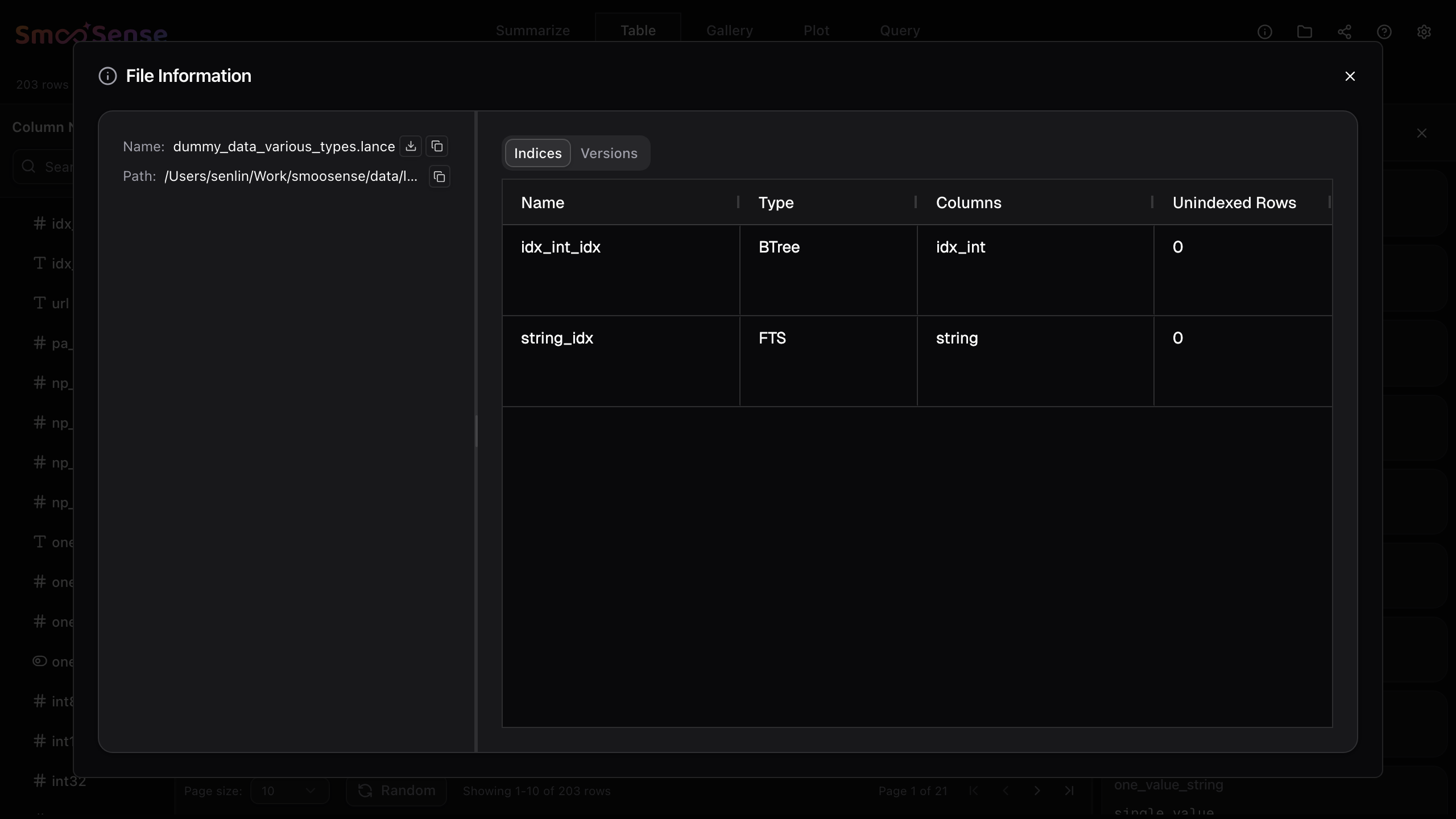
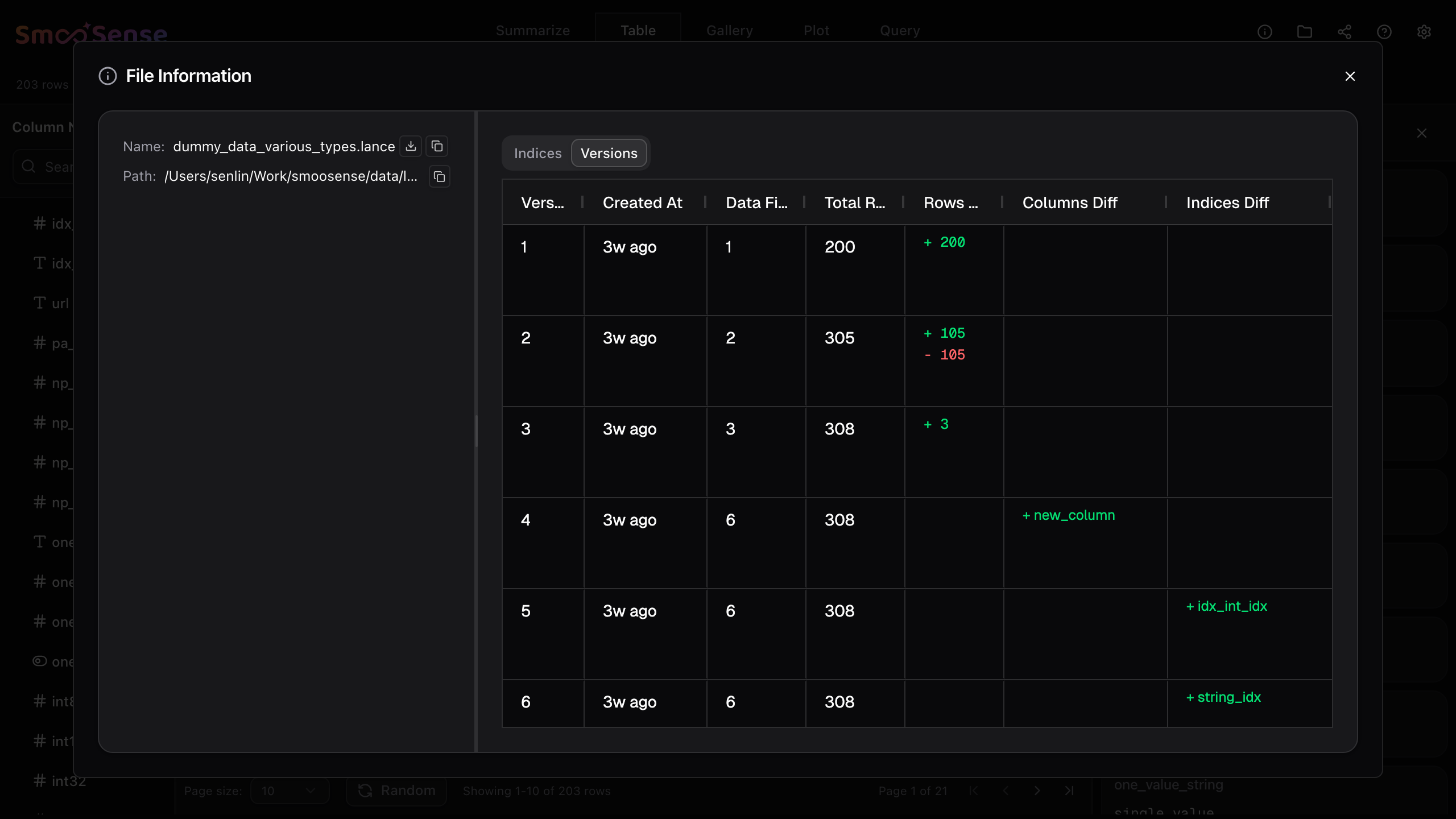
Lancedb supports data mutation, schema evolution, indexing and version controls. You can conveniently see these by clicking the Info icon in the top right corner.
3. Gallery#
Gallery provides a convenient way to browse visual data, including images, videos, and domain-specific visualization.
4. Freeform query#
When you need flexibility, SmooSense allows you to write your own SQL query using duckdb and renders the result intelligently.
5. Editing and quick labeling#
Coming